Accessibility in Generative AI: Building Inclusive Products for Everyone

Imagine you’re blind and trying to buy a product online. The image is beautiful, but your screen reader just says "image.jpg." You have no idea if it’s the red shirt or the blue one you wanted. Now imagine an AI that instantly describes that image with rich detail, letting you shop independently. This isn't sci-fi; it's the promise of Generative AI in accessibility. But here’s the catch: most AI tools are built by people who can see, hear, and use a mouse perfectly well. If we aren't careful, these powerful new tools will leave millions of users behind, creating a digital divide even wider than before.
The Double-Edged Sword of AI Accessibility
We need to talk about two different things when we say "accessibility in AI." First, there’s how AI helps disabled users-like auto-generating alt text or simplifying complex text. Second, there’s whether the AI tool itself is accessible to everyone. Too many companies focus only on the first part. They build a cool chatbot that writes code, but forget that a blind developer might not be able to navigate the interface to use it. That’s a failure of inclusive design. True accessibility means the tool works for the person using it, regardless of their ability.
Think about Microsoft Copilot. It’s great at summarizing documents. But does it offer enough keyboard shortcuts? Can you control the speed of its voice output? If not, it’s not truly inclusive. The goal isn’t just to make content easier to read; it’s to make the interaction seamless for someone using a switch device or a braille display. When we ignore this, we’re not solving problems-we’re just moving them around.
How Generative AI Actually Helps Users
Let’s look at where Gen AI shines. It’s not magic, but it’s close. One huge win is automated image descriptions. Traditionally, adding alt text was a tedious chore. Developers often skipped it. Now, models can analyze images and generate accurate descriptions in real-time. For a visually impaired user, this turns a blank space into meaningful context. It’s not perfect-sometimes it misses nuance-but it’s infinitely better than nothing.
Then there’s personalized content adaptation. Imagine reading a news article. With AI assistance, you could ask it to simplify the language, increase font size, or change color contrast based on your specific needs. This isn’t one-size-fits-all; it’s adaptive. Tools like Azure OpenAI Service allow developers to build interfaces where users can tweak these settings dynamically. It shifts the burden from the creator to the consumer, giving users control over how they consume information.
Real-time text-to-speech has also improved dramatically. Old robotic voices are gone. Modern AI generates natural-sounding audio that makes long-form content bearable for users with dyslexia or visual impairments. It’s not just about hearing words; it’s about understanding tone and pacing, which aids comprehension significantly.
Designing the Tool: Why the Interface Matters
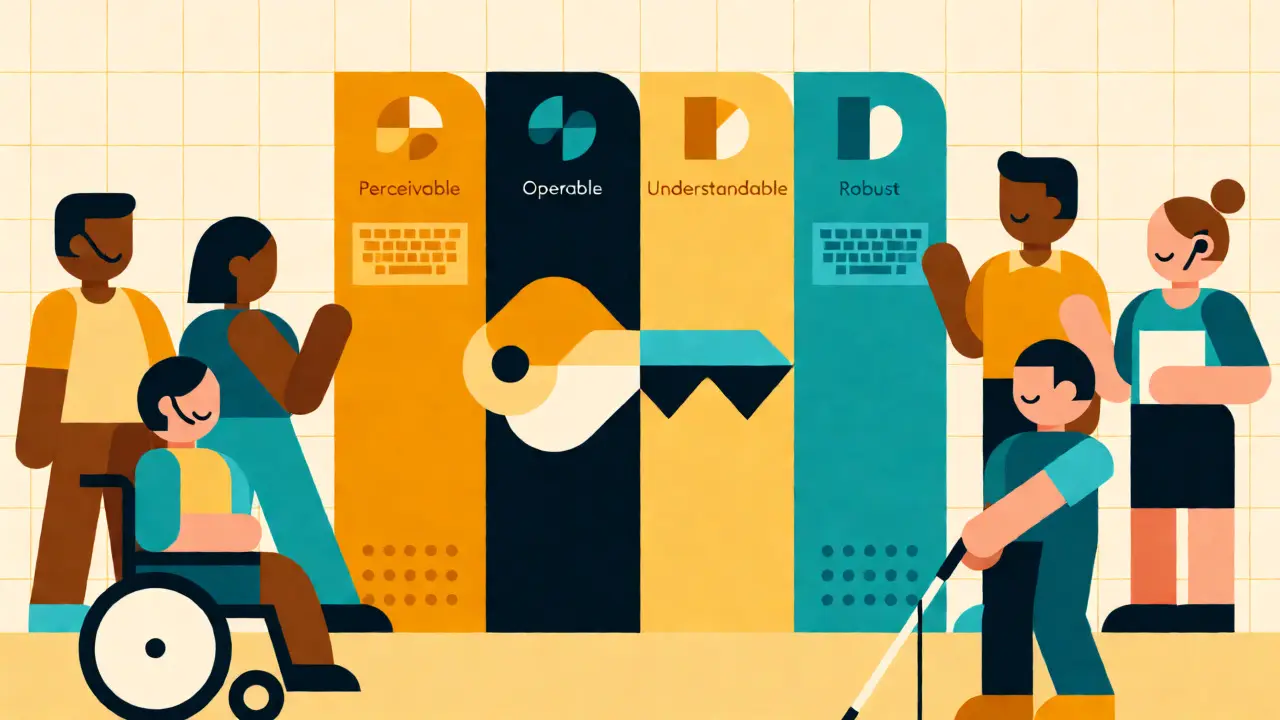
Here is where most products fail. An AI model might be brilliant, but if the UI is broken, the user experience is ruined. You must follow the Web Content Accessibility Guidelines (WCAG). These aren’t suggestions; they’re the baseline. The four principles-Perceivable, Operable, Understandable, Robust-apply directly to AI interfaces.
- Perceivable: Can a screen reader read the AI’s response? Is the contrast high enough?
- Operable: Can you navigate the entire app using only a keyboard? No mouse required.
- Understandable: Does the AI behave predictably? If I click "Generate," do I know what will happen?
- Robust: Does it work with current assistive technologies like JAWS or VoiceOver?
Full keyboard navigation is non-negotiable. Many AI chat interfaces rely heavily on mouse clicks for selecting options or scrolling through suggestions. If a motor-impaired user can’t reach the mouse, they’re stuck. Ensure every button, link, and input field is reachable via Tab and Enter keys. Also, provide multiple modes of interaction. If the AI speaks, let me type. If it shows text, let me listen. Redundancy is safety.
The Bias Problem in Training Data
AI learns from data. If that data is biased, the AI is biased. This matters hugely for accessibility. If a model is trained mostly on text written by sighted people, it might struggle to understand terminology used by the deaf community or neurodivergent individuals. Worse, it might perpetuate stereotypes. For example, an AI describing images might assume all people in photos are able-bodied, missing cues about wheelchairs or prosthetics because those weren’t represented in the training set.
You need diverse datasets. Not just diverse demographics, but diverse contexts. Include text from disability blogs, forums, and support groups. Train against bias by actively testing outputs with users from different backgrounds. Remember the mantra: "Nothing about us without us." Involve disabled people in the development process, not just as testers at the end, but as partners from day one. Their lived experience catches issues engineers miss.
Limitations: Why AI Isn’t a Silver Bullet
Don’t believe the hype that AI solves everything automatically. Cornell University’s Center for Teaching Innovation warns that Gen AI tools are not yet reliable enough to make content fully accessible on their own. They need human guidance. Think of AI as a junior assistant. It drafts the alt text, but a human should review it. It flags potential errors, but a developer fixes them.
Relying solely on automation creates false confidence. A company might slap an "AI Accessible" badge on their site and stop thinking about inclusion. But accessibility by design is always easier than retrofitting. If you build a complex, cluttered interface and then try to fix it with AI overlays, you’ll still have a bad experience. Universal design-building for flexibility from the start-is far superior to patching things up later. AI can help scale accessibility efforts, but it cannot replace thoughtful design.
Practical Steps for Implementation
So, how do you actually build this? Start small. Don’t try to overhaul your whole platform at once. Pick one feature, like image uploads, and integrate AI-generated alt text. Test it rigorously. Use tools like Lighthouse for automated checks, but pair them with manual testing using screen readers. Listen to the feedback. If a user says the description is confusing, refine the prompt engineering. Iterate.
| Feature | AI-Assisted Approach | Traditional Manual Design |
|---|---|---|
| Alt Text Generation | Fast, scalable, may lack nuance | Accurate, time-consuming, limited scale |
| Color Contrast Checks | Automated detection, instant fixes | Manual verification, slower iteration |
| Cognitive Load Reduction | Dynamic simplification of text | Static, pre-written summaries |
| Cost Efficiency | High initial setup, low ongoing cost | Low initial setup, high labor cost |
Consider tools like Stark, Deque/Axe, or UserWay. These platforms integrate AI into your existing workflow. They don’t replace designers; they empower them. Use design tokens for consistent color contrast and touch targets. Ensure your API responses include metadata that assistive tech can interpret. Keep the user in the loop. Let them override AI suggestions. Autonomy is key to dignity.
The Future: Adaptive Interfaces
We’re moving toward adaptive interfaces. Instead of static pages, imagine websites that reshape themselves based on who is viewing them. A user with low vision sees larger buttons and higher contrast. A user with cognitive disabilities sees simplified menus and step-by-step instructions. This isn’t just nice-to-have; it’s the next wave of web evolution. Augmented reality and virtual reality will also need this attention. As spatial computing grows, ensuring VR headsets accommodate various physical abilities becomes critical.
Organizations must treat accessibility as a continuous journey, not a checkbox. Regulations are evolving. What complies today might not comply tomorrow. Stay agile. Listen to your users. And remember, when you design for the edges, you improve the experience for the center too. Captions help people in noisy bars. High contrast helps people in bright sunlight. Inclusive design benefits everyone.
Can AI fully replace human accessibility testing?
No. While AI can identify common issues quickly, it lacks the contextual understanding of human experience. Complex interactions, nuanced content, and edge cases still require human evaluation. Use AI for screening and scaling, but keep humans in the loop for validation and creative problem-solving.
What is the biggest mistake companies make with AI accessibility?
Treating it as an afterthought. Companies often build a product first and then try to bolt on accessibility features later. This leads to poor user experiences and higher costs. Integrating accessibility from the design phase ensures the AI tool itself is usable by everyone.
How does bias affect generative AI in accessibility?
If training data lacks diversity, the AI may misunderstand or misrepresent disabled users. For instance, it might use outdated or offensive terminology. Biased data can lead to inaccurate image descriptions or irrelevant content suggestions, reducing trust and usability for marginalized groups.
Do I need to know coding to implement AI accessibility?
Not necessarily. Many platforms like WordPress or Shopify offer plugins that integrate AI accessibility tools. However, custom applications usually require developer involvement to ensure proper API integration and semantic HTML structure. Basic knowledge helps, but specialized tools can bridge the gap.
Is WCAG compliance enough for AI products?
WCAG is the foundation, but AI introduces new challenges like dynamic content generation and unpredictable outputs. You need to go beyond standard guidelines to address how AI behaves in real-time. Testing with actual assistive technologies is crucial to ensure robustness.
- Sep, 1 2026
- Collin Pace
- 0
- Permalink
- Tags:
- generative AI accessibility
- inclusive design
- WCAG compliance
- assistive technology
- responsible AI
Written by Collin Pace
View all posts by: Collin Pace