Autoscaling Large Language Model Services: How to Balance Cost, Latency, and Performance
Running a large language model (LLM) in production isn’t like hosting a website. You can’t just throw more CPUs at it when traffic spikes. LLMs need GPUs or TPUs, and those are expensive. Worse, they don’t scale linearly. A 20% increase in requests might double your latency. If you don’t autoscale properly, you’ll either overspend on idle hardware or crash under load. The goal isn’t just to keep things running-it’s to run them efficiently.
Why Traditional Autoscaling Fails for LLMs
Most cloud autoscaling tools were built for web apps. They watch CPU or memory usage and spin up more instances when thresholds are crossed. That works fine for a Shopify store or a REST API. But LLM inference is different.LLMs process requests in batches. A single GPU might wait for 10 incoming prompts before running inference. If you get 11 requests, the 11th has to wait for the next batch cycle. That creates a hidden queue. Traditional metrics like CPU usage stay low even when requests are piling up. By the time the system notices, users are already seeing 5-second delays.
Google Cloud’s data shows that when the prefill queue fills beyond 70% of capacity, the 95th percentile latency jumps by 230%. That’s not a slow server-it’s a traffic jam you didn’t see coming. CPU utilization? Still at 40%. Memory? Fine. The system thinks it’s healthy. It’s not.
The Three Key Signals for LLM Autoscaling
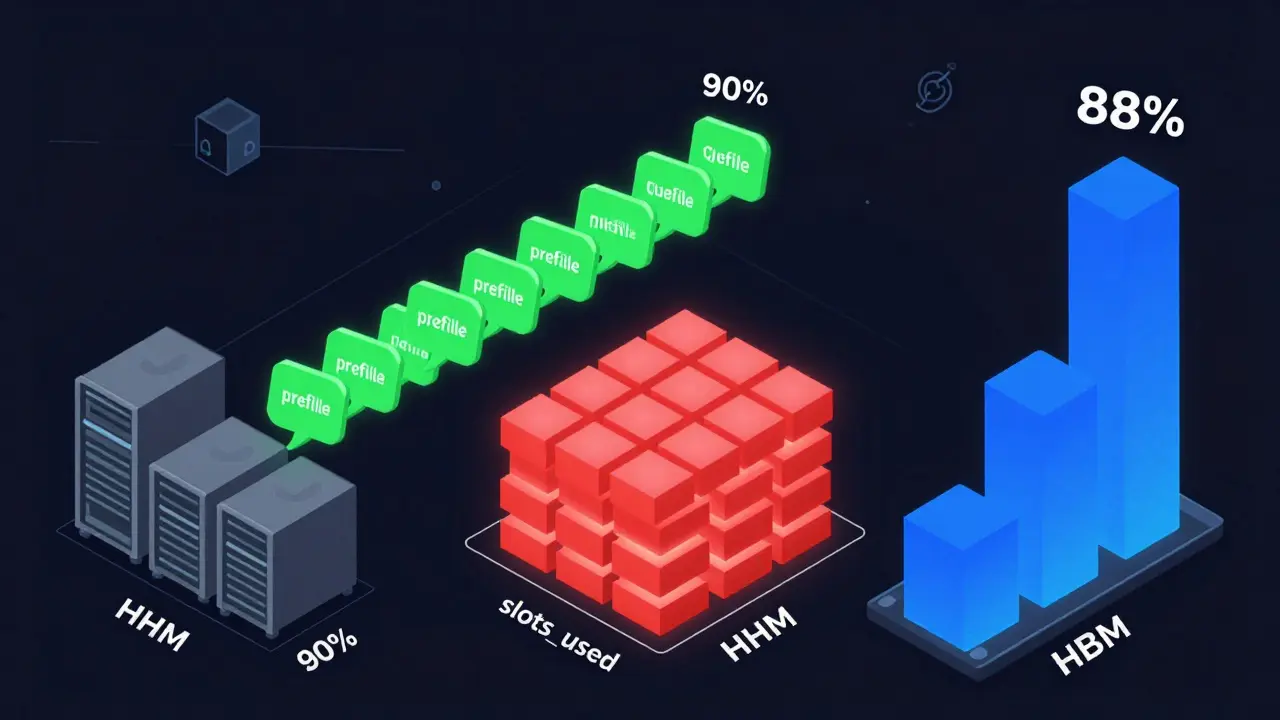
To autoscale LLMs right, you need to monitor what actually matters: how many requests are waiting, how many GPU slots are in use, and how much high-bandwidth memory (HBM) is being consumed.- Prefill queue size: This is the number of incoming requests waiting to be processed. It’s the earliest warning sign. Queue growth happens before GPU saturation-sometimes 2 seconds before. Google Cloud recommends using this for cost-sensitive workloads like internal document summarization or batch processing. When the queue hits 85% of max capacity, scale up. When it drops below 30%, scale down.
- Slots_used percentage: This tracks how many processing slots on your model server are occupied. It’s ideal for real-time apps like chatbots or customer service bots where every millisecond counts. If slots_used hits 90%, add a replica. This gives faster response than waiting for queue buildup. But it costs more-CloudOptimo found it increases baseline costs by 15% compared to queue-based scaling.
- TPU/GPU HBM usage: High Bandwidth Memory is the fast memory that LLMs need to load weights. HBM usage correlates at 92% with actual tokens processed per second. Traditional GPU utilization metrics? Only 63% accurate. If your TPU’s HBM is at 88%, you’re maxed out. Scaling here ensures you’re using hardware to its limit.
Each signal serves a different goal. Queue size = cost efficiency. Slots_used = low latency. HBM = hardware optimization. Pick one based on your use case. Don’t try to use all three at once unless you have a dedicated MLOps team.
Scaling Policies That Work (and Those That Don’t)
Your scaling policy defines when to add or remove resources. Bad policies cause thrashing-servers scaling up and down every few minutes. Good ones are patient, precise, and tuned.For real-time chatbots (sub-1s latency needed): Use slots_used. Set the scale-up trigger at 85% and scale-down at 40%. Add a 30-second cooldown to prevent flapping. CloudOptimo’s tests showed this cuts 99th percentile latency by 38% compared to queue-based scaling.
For batch jobs like nightly report generation: Use prefill queue size with aggressive scale-in. Only scale down if GPU utilization stays below 35% for 8+ minutes. This lets you use spot instances-cheaper, but interruptible. Nexastack’s case study showed 68% cost savings this way.
For mixed workloads: Combine signals. Scale up on queue size, but don’t scale down until both queue is low AND HBM usage drops below 40%. This prevents sudden drops that leave users hanging.
What doesn’t work? Scaling on CPU, memory, or GPU utilization alone. These are lagging indicators. They tell you you’re already overloaded. They don’t help you avoid the overload.

The Cold Start Problem
Scaling up sounds great-until you wait 3 minutes for a new model replica to load.When Kubernetes spins up a new pod, it has to download the model (often 10-70GB), initialize the weights, and warm up the inference engine. That takes 112-187 seconds. During that time, requests pile up. Users see timeouts. You lose trust.
There’s a fix: pre-warmed containers. Keep 1-2 extra replicas idle but loaded. They’re ready in 23-37 seconds. The trade-off? Your baseline cost goes up 18-22%. But for mission-critical apps, it’s worth it. A Fortune 500 company on Reddit reported that after adding two pre-warmed replicas, their latency spikes dropped by 90%.
Don’t skip this step. If you’re scaling up from zero, you’re already losing.
Implementation Pain Points
Setting this up isn’t plug-and-play. You need:- Kubernetes with Horizontal Pod Autoscaler (HPA)
- Prometheus and Metrics Server to collect custom metrics
- Custom exporters that pull queue size, slots_used, and HBM data from your LLM serving framework (vLLM, TensorRT-LLM, TGI)
- Proper threshold calibration
Google Cloud says it takes most teams 6.2 weeks to get this working right. MIT’s AI Lab found it takes 8-12 weeks for teams without MLOps experience. The biggest mistake? Setting thresholds too low. Scaling at 70% queue utilization instead of 85% increases costs by 28-35% and still doesn’t prevent latency spikes.
Another common failure: cooldown periods too short. If you scale down 2 minutes after traffic drops, you’ll keep spinning up and down. YouTube’s TSEGA found 67% of failed autoscaling setups had this issue.
Also, don’t ignore request collapsing. If 5 users ask the same question, merge them into one inference. CloudOptimo says this cuts scaling events by 33-41%. It’s low-hanging fruit.
Cost vs. Performance: The Tradeoff
You can’t have zero latency and zero cost. You have to pick your priority.Here’s how top companies decide:
- Customer-facing chatbots: Pay for low latency. Use slots_used. Keep 2-3 pre-warmed replicas. Accept 15-20% higher baseline cost.
- Internal tools: Pay for cost. Use prefill queue. Scale down aggressively. Use spot instances. Accept 1-3 second delays.
- Batch analytics: Pay for savings. Run at night. Use spot instances. Scale up only when queue builds. No pre-warmed replicas.
CloudOptimo’s analysis shows that properly tuned autoscaling cuts LLM infrastructure costs by 30-60%. Poorly tuned setups? They can cost 200% more than needed-and still fail SLAs.

What’s Next: Predictive and Cost-Aware Scaling
The next wave isn’t just reactive-it’s predictive.Google Cloud rolled out predictive autoscaling in September 2024. It uses historical traffic patterns to anticipate surges. If your app gets busy every Monday at 9 a.m., it spins up replicas before the clock hits 8:55. Internal tests show it reduces scaling latency by 63%.
Meanwhile, cost-aware scaling is emerging. Instead of just using one instance type, it switches between them based on real-time pricing. If a spot instance is 60% cheaper and your workload can tolerate 2-second delays, it uses it. CloudOptimo’s November 2024 case study showed a 44% cost drop for non-real-time workloads.
By 2025, Forrester predicts 75% of enterprise LLM deployments will use multi-metric autoscaling. Right now, only 18% do. The gap is closing fast.
Should You Build It or Buy It?
You can build your own autoscaling system. But it’s a 6-12 week project with high risk.Or you can use a platform that already has it built in: Baseten, Banana, OctoAI, Vertex AI, SageMaker. G2 Crowd data shows platforms with built-in autoscaling get 4.3/5 ratings. Manual setups? 3.7/5. Users say the biggest win is “pre-configured templates for common models.”
If you’re a startup or don’t have a full-time MLOps team, buy it. If you’re a Fortune 500 with a dedicated AI infrastructure team, build it-but only after testing metrics on staging for 4+ weeks.
Final Checklist: Are You Ready?
Before you turn on autoscaling, ask yourself:- Do I know my acceptable latency budget? (Sub-second? 2 seconds? 10 seconds?)
- Which signal matches my workload? (Queue size, slots_used, or HBM?)
- Have I tested my thresholds on real traffic? (Not just lab data.)
- Do I have pre-warmed replicas for critical apps?
- Is my cooldown period longer than my model load time?
- Have I implemented request collapsing?
If you answered no to any of these, you’re not ready. Autoscaling isn’t magic. It’s engineering. Do it right, and you’ll cut costs without sacrificing performance. Do it wrong, and you’ll pay more-and still make users wait.
What’s the best autoscaling metric for LLMs?
There’s no single best metric-it depends on your use case. For cost efficiency and batch workloads, use prefill queue size. For real-time apps like chatbots, use slots_used. For maximizing hardware usage, monitor TPU/GPU HBM. Most teams start with queue size because it’s the earliest warning sign of overload.
Can I use CPU or GPU utilization to autoscale LLMs?
No. CPU and GPU utilization are poor indicators for LLM inference. They often stay low even when requests are queuing up because LLMs batch requests and idle while waiting. Google Cloud found these metrics only correlate at 63% with actual throughput. Use prefill queue size, slots_used, or HBM usage instead-they’re 80-92% accurate.
Why does scaling up take so long for LLMs?
Because LLMs are huge. A single model can be 10-70GB. When a new instance starts, it must download the model, load weights into memory, and initialize the inference engine. That takes 2-3 minutes. Pre-warmed replicas reduce this to under 40 seconds but increase baseline costs by 18-22%.
How much can autoscaling save on LLM costs?
Properly configured autoscaling can reduce infrastructure costs by 30-60%. Poorly configured setups can cost 200% more than needed while still failing to meet latency targets. Companies using spot instances and aggressive scale-in policies for batch workloads have seen up to 68% savings.
Is it better to build LLM autoscaling or use a managed service?
If you have a dedicated MLOps team with Kubernetes and Prometheus expertise, building gives you full control. But for most teams, especially startups or non-AI-native companies, using a managed service like Vertex AI, Baseten, or OctoAI is faster, cheaper, and more reliable. Platforms with built-in autoscaling get 4.3/5 ratings on G2 Crowd-manual setups average 3.7/5.
- Aug, 6 2025
- Collin Pace
- 10
- Permalink
Written by Collin Pace
View all posts by: Collin Pace