Caching and Performance in AI-Generated Web Apps: A Practical Guide

You built a cool AI web app. It works great on your laptop. Then you launch it, and users start complaining that it takes five seconds to answer simple questions. Worse, your API bill spikes because every query hits the expensive foundation model directly. This is the classic "first week" problem for AI-generated web apps. The solution isn't just buying more GPU power; it's smarter data management through caching strategies tailored for large language models (LLMs).
If you're wondering where to start with AI caching, you're in the right place. We'll skip the academic theory and focus on what actually moves the needle: reducing latency from seconds to milliseconds and cutting costs by half. Whether you are using Redis, AWS MemoryDB, or a custom solution, understanding the layers of caching is critical for production-grade applications.
Why Traditional Caching Fails for AI
Standard web caching relies on exact matches. If a user requests /about-us, the server serves the same HTML file. Simple. But AI queries are messy. One user asks, "What is the capital of France?" Another asks, "Tell me the city that is the seat of the French government." An exact-match cache sees these as two different strings. It misses both times, forcing your app to call the LLM twice for the same information.
This is why Semantic Caching has become essential. Unlike traditional methods, semantic caching uses vector embeddings to understand meaning. It converts text into mathematical vectors and compares their distance. If the vectors are close enough, the system treats the queries as identical and serves the cached response. According to benchmarks from Amazon Web Services, this approach can reduce latency from 3.2 seconds to under 0.5 seconds while maintaining high accuracy.
The Three Layers of AI Performance Optimization
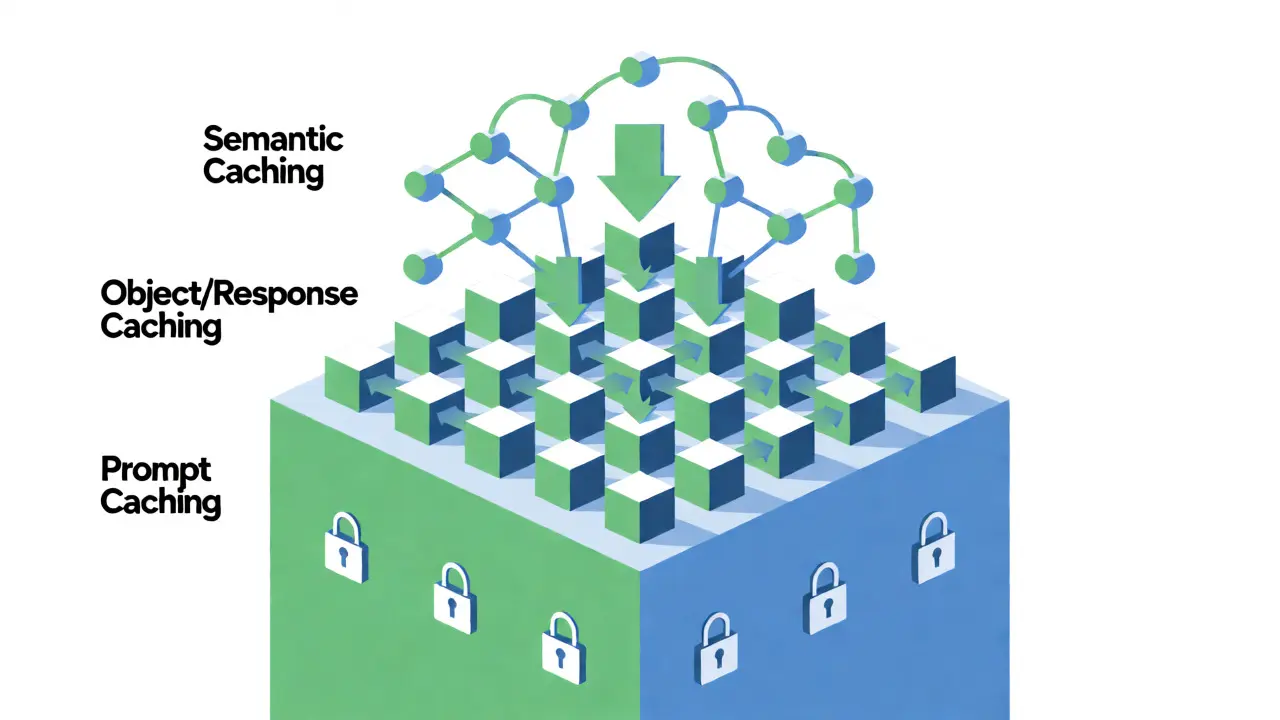
You don't need to implement everything at once. Start with the layer that gives you the biggest return on investment for your specific use case.
1. Prompt Caching (The Low-Hanging Fruit)
Prompt caching stores the result of a specific prompt string. It’s fast to implement and requires no complex infrastructure. Use this for static content like FAQs, product descriptions, or fixed system instructions. For example, if your app always starts with the same 500-token system prompt, many providers now allow you to cache that prefix. This reduces token usage significantly. However, it fails immediately if the user changes even one word in their question.
2. Object and Response Caching
Here, you store the full JSON response from the LLM based on the input parameters. This is where tools like Redis shine. You hash the input query and check Redis before calling the API. If it exists, you return the stored value. If not, you generate the response, save it to Redis with a Time-To-Live (TTL), and return it.
A developer named Alex Morgan shared a real-world example on Reddit: implementing Redis caching for a customer service bot cut Azure OpenAI costs by 63% in the first month. The average response time dropped from 4.2 seconds to 0.38 seconds. That’s a massive win for user experience.
3. Semantic Caching (The Smart Layer)
This is the most powerful but complex layer. You store vector embeddings of past queries alongside their answers. When a new query comes in, you convert it to a vector, search your database for similar vectors, and retrieve the answer if the similarity score exceeds a threshold (usually around 0.9).
Amazon MemoryDB launched in September 2023 specifically to handle this workload. It combines a durable key-value store with native vector search capabilities. Engineers report that proper implementation can achieve a 70% cost reduction compared to uncached calls.
Choosing Your Tech Stack
Don't over-engineer early. Here is how the major players compare for AI workloads in 2026:
| Solution | Best For | Latency Impact | Complexity | Cost Efficiency |
|---|---|---|---|---|
| Redis | Exact match & simple object caching | < 1ms retrieval | Low | High (if hit rate > 50%) |
| AWS MemoryDB | Semantic caching & vector search | ~50ms vector lookup | Medium | Very High (reduces LLM calls) |
| Vercel Edge Config | Static prompts & feature flags | < 5ms global | Very Low | Moderate |
| In-Memory (Node.js) | Prototyping & low traffic | Instant | None | Low (doesn't scale) |
Where to Start: A Step-by-Step Implementation Plan
Feeling overwhelmed? Follow this path to avoid common pitfalls.
- Analyze Your Traffic: Look at your logs. Are users asking repetitive questions? Gartner reports that 65% of queries in customer service chatbots are repetitive. If your hit rate potential is below 20%, caching might add complexity without saving money.
- Implement Exact Match First: Add a simple Redis cache keyed by the SHA-256 hash of the user prompt + context window. Set a short TTL (e.g., 1 hour) to start. Measure the hit rate.
- Add Semantic Layer if Needed: If exact match hit rates are low (<30%), introduce vector embeddings. Use a library like LangChain or LlamaIndex which have built-in semantic cache connectors.
- Tune Invalidation Policies: This is where most people fail. Static facts (like "capital of France") can be cached forever. Dynamic data (like "current stock price") needs a 5-minute TTL. News articles need staleness-aware invalidation.
The Hidden Cost: Cache Invalidation and Staleness
Caching introduces a new bug class: serving outdated information. Imagine an AI assistant that knows your company policy changed last Tuesday, but it keeps citing the old policy because the answer is cached.
Google Cloud Architect James Wilson warns that improper invalidation can lead to 15-20% accuracy degradation in time-sensitive apps. To fix this, adopt a hybrid strategy. Use TTLs for volatile data and event-driven invalidation for structured data. For example, when you update a product description in your CMS, trigger a webhook that deletes the corresponding keys from Redis.
Also, watch out for "semantic drift." MIT researchers found that without careful monitoring, cached responses can become mismatched to evolving user intents over time. Regularly audit your cache to ensure the stored answers still align with current knowledge bases.
Real-World Metrics: What to Expect
Let's look at concrete numbers from recent industry implementations. These aren't theoretical best cases; they are averages from enterprise deployments.
- Latency Reduction: Moving from direct LLM calls to a semantic cache typically drops response time from ~3.5 seconds to ~0.4 seconds.
- Cost Savings: With a 60% cache hit rate, expect a 45-50% reduction in API costs. At higher hit rates (70%+), savings can exceed 70%.
- User Satisfaction: Faster responses correlate with higher retention. InnovationM reported satisfaction scores jumping from 3.2 to 4.7 (on a 5-point scale) after deploying aggressive caching.
Common Pitfalls to Avoid
Don't make these mistakes I've seen countless times:
- Caching Personalized Data: Never cache responses that depend on user-specific history unless you include the user ID in the cache key. Otherwise, User A gets User B's personalized recommendation.
- Ignoring Token Limits: Some caches store the raw output. Ensure you aren't storing truncated responses due to max token limits, which can confuse future retrievals.
- Over-Caching: Caching every single request adds overhead. Only cache expensive operations. If a query takes 50ms to process locally, caching it might actually slow things down due to network latency to the cache server.
Final Thoughts
Caching is no longer optional for serious AI applications. It is the bridge between a demo that looks cool and a product that scales. Start simple with exact-match Redis caching. Monitor your hit rates. If they are low, graduate to semantic caching with vector databases. Keep an eye on your invalidation strategy, because nothing kills trust faster than an AI confidently giving wrong, outdated answers.
The technology is maturing fast. By 2026, multi-layer caching will be standard architecture. Get ahead of the curve now, and your users-and your CFO-will thank you.
Is semantic caching better than exact-match caching?
Not necessarily. Semantic caching is superior for handling paraphrased queries and natural language variations, leading to higher hit rates. However, it requires vector embedding generation and storage, which adds computational overhead and cost. For applications with highly standardized queries (like form inputs), exact-match caching via Redis is faster and cheaper. Many production systems use a hybrid approach: try exact match first, then fall back to semantic search.
How do I determine the right TTL for my AI cache?
There is no one-size-fits-all TTL. Base it on data volatility. Static facts (historical events, definitions) can have long TTLs (days or weeks). Dynamic data (weather, news, stock prices) needs short TTLs (minutes). For general conversational AI, a 1-hour to 24-hour TTL is often a safe starting point. Always monitor for "staleness errors" where users complain about outdated info, and adjust accordingly.
Does caching affect the quality of AI responses?
It can, if implemented poorly. Semantic caching relies on similarity thresholds. If your threshold is too loose, you might serve an answer that is topically related but factually incorrect for the specific nuance of the user's question. If too strict, you miss cache opportunities. Rigorous testing with a diverse set of queries is required to tune the similarity score (cosine similarity) effectively.
Can I cache streaming responses from LLMs?
Yes, but it's trickier. You usually cache the final complete response. When a new user makes a similar query, you can simulate streaming by sending the cached text in chunks to maintain the UI feel, or simply return the whole block instantly. Most frameworks handle this abstraction, but you must ensure the cache stores the full generated text, not just partial tokens.
What is the minimum infrastructure needed to start caching?
For small projects, you can start with in-memory caching within your Node.js or Python application process. For anything beyond a prototype, a managed Redis instance is the standard baseline. It requires minimal configuration and provides persistence options. As you scale to semantic caching, you will likely need a specialized vector database or a cloud service like AWS MemoryDB or Pinecone.
- Sep, 7 2026
- Collin Pace
- 10
- Permalink
Written by Collin Pace
View all posts by: Collin Pace