How Generative AI Is Transforming QBR Decks and Renewal Strategies in Customer Success
Customer success teams used to spend days preparing for a single Quarterly Business Review. Gathering data from CRM systems, product analytics, support tickets, and finance tools. Formatting charts. Writing talking points. Tailoring slides for executives versus end users. And even then, the deck often felt like a data dump-no clear story, no urgency, no direction. Now, with generative AI, that same process takes minutes. Not hours. Not days. Minutes.
Why QBRs Matter More Than Ever
Quarterly Business Reviews aren’t just meetings. They’re renewal engines. Research shows customers who receive regular, high-quality QBRs are twice as likely to renew their contracts. But here’s the catch: if the QBR doesn’t clearly show value, highlight risks, and point to next steps, it doesn’t just fail to renew-it can push a customer toward churn.
Traditional QBRs got stuck in a loop. Teams spent 80% of their time on data collection and formatting. Only 20% on real strategy. The result? A 40-slide deck full of metrics with no narrative. Executives left the meeting wondering, "So what?" That’s not customer success. That’s data overload.
How Generative AI Fixes the QBR Problem
Generative AI doesn’t just automate-it rethinks. Instead of manually pulling data from Salesforce, HubSpot, Mixpanel, and Zendesk, AI tools now connect to all of them at once. In seconds, they pull usage trends, support ticket sentiment, NPS scores, ROI calculations, and even email tone. Then they build a story around it.
Take Prezent AI. A CSM uploads a few files: last quarter’s usage report, a customer interview transcript, and their renewal date. They type: "Create a 10-slide QBR for a VP of Operations, focusing on adoption gaps and ROI." In 90 seconds, they get a branded, editable PowerPoint with charts, clear headlines, and talking points. No more copying tables from Excel. No more guessing which metric matters most.
FunnelStory AI goes further. It doesn’t just generate slides. It generates intelligence cards. Four of them: Firmographics, Churn Intelligence, Adoption Intelligence, and Task Recommendations. Before the meeting, the CSM reviews these. They see that the customer’s usage dropped 32% in the last 30 days-but their support tickets spiked 70%. The AI flags that as a red flag. The CSM walks into the meeting knowing exactly where to dig.
Personalization at Scale
One size never fit all in QBRs. A CFO cares about ROI and cost savings. A product manager cares about feature adoption. A power user cares about workflow changes. Manually tailoring one deck for each audience? Impossible.
AI changes that. DemandFarm’s system lets you pick an audience type-"C-Level," "IT Lead," "End User"-and instantly rebuilds the entire deck. Same data. Different story. For the CFO: "You saved $210K this quarter by reducing manual processes." For the IT lead: "Your team reduced ticket volume by 45% using our automation module." For the end user: "Here’s how 80% of your team is now using the new reporting tool."
Even better-AI can analyze past successful QBRs. If a similar customer in your industry renewed after a "turnaround" narrative, the AI suggests you mirror that structure. It learns what works.

From Reactive to Predictive
Old-school QBRs looked backward: "Here’s what happened last quarter." New AI-powered QBRs look forward: "Here’s what’s about to happen-and here’s how to stop it."
DemandFarm’s sentiment analysis scans thousands of support tickets, call transcripts, and survey responses. It notices a pattern: negative language around "onboarding" spiked last month. Usage dipped. Support tickets rose. The AI doesn’t wait for the customer to complain. It alerts the CSM: "This account has a 68% churn risk. Recommend a dedicated onboarding session within 72 hours."
That’s not reporting. That’s prevention. And it’s happening in real time, not quarterly.
What AI Can’t Do (And What You Still Need)
AI builds the deck. But humans build trust.
No algorithm can replace the moment you say, "I remember when you told me your team was struggling with X. Here’s how we fixed it for another client-and here’s how we can do it for you." That’s emotional intelligence. That’s empathy. That’s why the best CSMs use AI as a co-pilot, not a replacement.
AI handles the heavy lifting: data gathering, chart creation, slide formatting, risk flags. You handle the human stuff: listening, adapting tone, reading between the lines, building relationships.
And for high-stakes renewals? Some platforms like Prezent offer "Presentation Engineers"-real people who work with you one-on-one to refine the narrative, soften tough messages, or turn a renewal threat into an expansion opportunity.
The New Standard: AI-Powered QBRs Are Now Infrastructure
Five years ago, using AI for QBRs was a fancy perk. Now, it’s table stakes. Prezent reports over 100 Fortune 2000 companies use their platform. Workato’s demo shows a full QBR deck built in under a minute. FunnelStory’s users say they cut prep time by 90%.
That’s not innovation anymore. That’s efficiency. And efficiency is now the baseline for customer success.
Organizations that still build QBRs manually are falling behind. They’re stuck serving only their top 10% of customers. The rest? They get generic emails. Or worse-no check-in at all.
AI lets you serve everyone. Tier 1 accounts get polished, executive-grade decks. Tier 3 accounts get clean, automated summaries. All branded. All on-brand. All ready to send.
How to Start Using AI for QBRs
You don’t need a tech team. You don’t need to rebuild your stack. Here’s how to begin:
- Identify your biggest pain point-Is it time? Personalization? Data gathering? Pick one.
- Connect your tools-CRM, product analytics, support system. Most AI platforms integrate with Salesforce, HubSpot, Mixpanel, and Zendesk out of the box.
- Start small-Pick one customer. Generate a QBR. Compare it to your old version. See the difference.
- Train your team-Teach them how to write good prompts. Not "Make a QBR," but "Summarize adoption trends since last quarter. Highlight drop-offs and suggest one action item for the customer."
- Scale-Once it works for one, roll it out to ten. Then to all.
Within three months, you’ll stop asking, "Did we send the QBR?" and start asking, "Did we renew?"
One-Slide QBRs? The Future Is Leaner
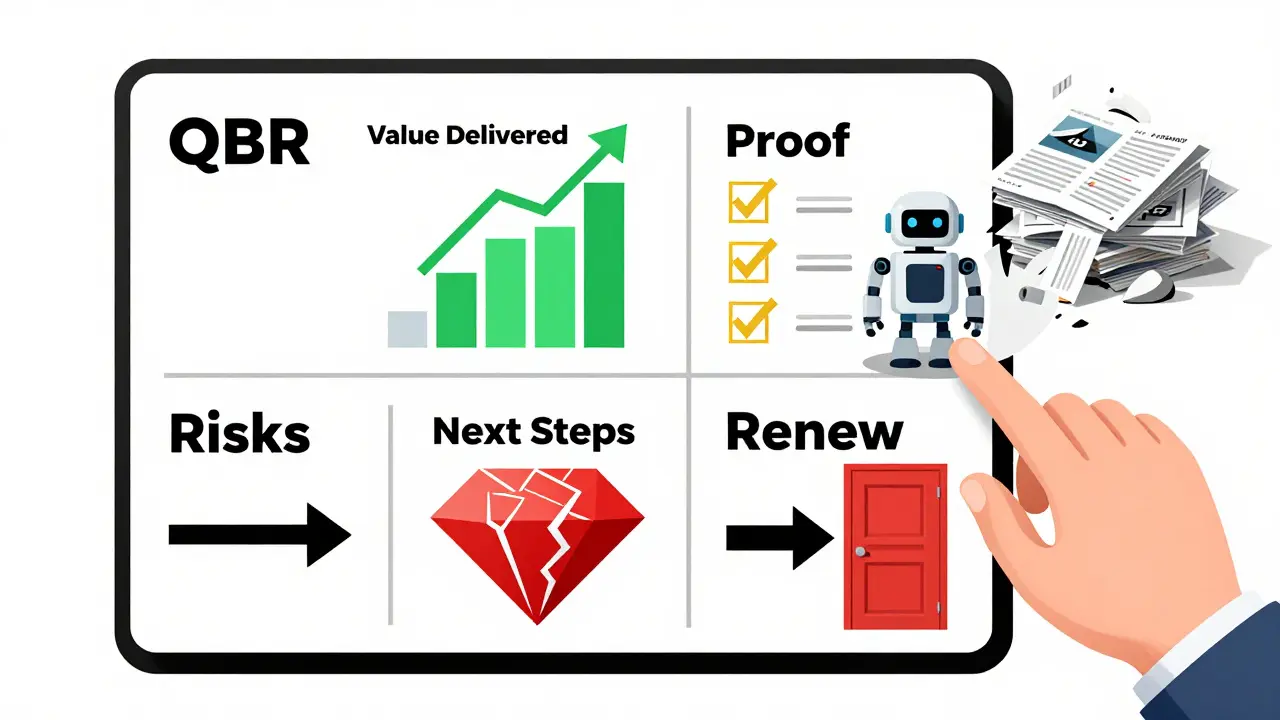
Some teams are skipping decks entirely. ChurnZero’s one-slide value review is gaining traction. One slide. Four boxes:
- Value Delivered-What did they save? What did they gain?
- Proof-Metrics, quotes, usage spikes.
- Risks-What’s slipping? What’s ignored?
- Next Steps-One clear ask.
AI can generate this in 20 seconds. No slides. No fluff. Just clarity. And sometimes, that’s all a customer needs to say yes.
Can generative AI really improve customer renewal rates?
Yes. Companies using AI-powered QBRs report a 2x increase in renewal rates. Why? Because AI ensures every QBR delivers a clear, personalized story of value-not just data. Customers renew when they see progress, not charts. AI helps teams tell that story every quarter, for every customer.
Do I need to replace my CRM to use AI for QBRs?
No. AI-powered QBR platforms like Prezent, FunnelStory, and DemandFarm integrate directly with existing CRMs like Salesforce, HubSpot, and Microsoft Dynamics. You don’t need to switch systems. Just connect the data you already have.
What’s the biggest mistake teams make when adopting AI for QBRs?
Using AI to generate slides and calling it done. The real power isn’t in the deck-it’s in the insight. If you don’t review the AI’s recommendations, adjust the narrative, or talk to the customer about the risks it flagged, you’re missing the point. AI gives you the map. You still have to drive.
How long does it take to set up an AI-powered QBR system?
Most platforms integrate in under a week. Connecting your CRM, product analytics, and support tools typically takes 2-3 days. Training your team on prompt writing adds another 2-3 days. After that, you can start generating live QBRs. Many teams see their first AI-generated deck in under 48 hours.
Is AI-generated QBR content trustworthy?
It’s as trustworthy as the data you feed it. If your CRM has outdated usage numbers or your support tickets aren’t tagged properly, the AI will reflect that. The key is data hygiene. Clean inputs = clean outputs. Most platforms also let you edit everything before sending-so you’re always in control.
- Mar, 20 2026
- Collin Pace
- 8
- Permalink
Written by Collin Pace
View all posts by: Collin Pace