How Vibe Coding Accelerates MVP Development for Startups
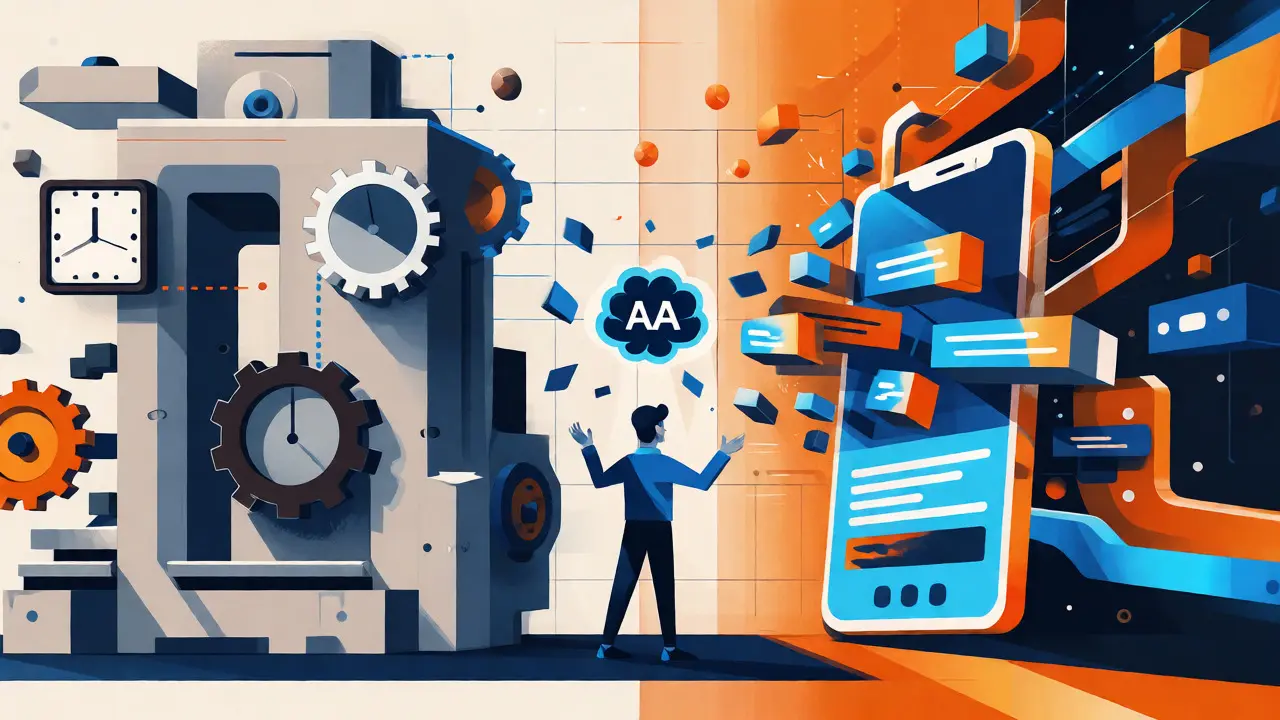
Imagine building a functional software prototype in less than 24 hours. Not a static design mockup, but a working application that real users can click through, test, and give feedback on. For many startups, this used to be a fantasy reserved for well-funded teams with armies of engineers. Today, it’s a Tuesday afternoon. This shift is driven by Vibe Coding, a methodology that blends lean startup thinking with the raw power of Large Language Models (LLMs) like GPT-4 and Claude.
If you’ve ever felt stuck in "analysis paralysis" while waiting weeks for a developer to build a simple feature, you’re not alone. Traditional MVP development is slow, expensive, and often rigid. Vibe Coding flips the script. It prioritizes flow over perfection, allowing founders to iterate at the speed of thought. But it’s not just about typing prompts into a chatbot. It’s a structured approach to leveraging AI as a co-pilot rather than an autopilot. In this guide, we’ll break down how this method compresses development time by up to 85%, what tools actually work, and where the pitfalls lie.
What Is Vibe Coding and Why Does It Matter?
At its core, Vibe Coding is a structured yet flexible framework for building Minimum Viable Products (MVPs) using AI assistance. Unlike traditional coding, which demands rigorous upfront architecture, or no-code platforms, which lock you into specific constraints, Vibe Coding occupies the middle ground: it generates real code that you own, but it does so at the speed of no-code tools. The term was popularized recently, but the practice has been evolving since developers started relying heavily on GitHub Copilot and similar assistants.
The goal isn’t to replace human engineers entirely-at least, not yet. Instead, it aims to remove the friction between having an idea and seeing it live. According to research from Creative Bits AI, the primary purpose is to answer a critical question: "How can we build fast without breaking everything later?" By focusing on "flow," startups can validate demand before burning through their runway. If your hypothesis is wrong, you haven’t wasted months of engineering time; you’ve only lost a few hours of prompting and debugging.
The Core Workflow: From Idea to Live App
You might think Vibe Coding is chaotic-just throwing random prompts at an AI until something works. In reality, successful practitioners follow a disciplined nine-phase workflow. Skipping steps is where most projects collapse under technical debt. Here is the streamlined process used by high-performing teams:
- Problem Definition: Clearly articulate the single user pain point you are solving. Ambiguity here leads to hallucinated features later.
- Lean Planning: Sketch the minimal data model and user flow. Keep it simple. If it doesn’t serve the core value proposition, cut it.
- Tech Stack Selection: Choose frameworks known for AI compatibility, such as Next.js, React, or Supabase. Avoid legacy systems that confuse LLMs.
- Functional Prototyping: Use one-shot generation tools to create a rough skeleton. Don’t worry about style yet; focus on logic.
- Detailed Specification: Break down complex features into small, manageable tasks. AI struggles with vague instructions like "make it look nice."
- Pre-Implementation Planning: Define file structures and component boundaries. This prevents the "spaghetti code" problem common in early AI outputs.
- Implementation with AI Assistance: The core loop: Prompt → Generate → Implement → Test → Refine. Iterate in small chunks.
- Smart Testing: Automated tests are hard to generate perfectly. Focus on manual testing of critical paths first, then add unit tests for stability.
- Deployment: Push to platforms like Vercel or Netlify instantly. Feedback loops should be measured in minutes, not days.
This structure ensures that while the code is generated quickly, it remains maintainable enough for the next phase of growth. Without this discipline, you end up with a "demo-only" app that cannot scale.
Tools of the Trade: Which AI Assistants Deliver?
Not all AI coding tools are created equal. Some excel at generating entire pages from screenshots, while others are better at refactoring existing codebases. Choosing the right stack depends on your technical comfort level and project complexity.
| Tool | Best For | Learning Curve | Key Strength | Cost (Approx.) |
|---|---|---|---|---|
| Cursor | Full-stack development | Intermediate | Context-aware editing across files | $20/mo |
| Bolt.new | Rapid prototyping | Beginner | In-browser full-stack execution | Free tier available |
| Lovable | UI-focused apps | Beginner | Natural language to UI components | Free tier available |
| GitHub Copilot | Code completion | Low | Integrates with existing IDEs | $10/mo |
| Supabase | Backend & Auth | Low | Instant Postgres database setup | Free tier available |
Cursor is currently the favorite among technical founders because it allows you to edit multiple files simultaneously using natural language commands. You can say, "Update the login button to use Tailwind CSS classes," and it will find every instance in your project. On the other hand, tools like Bolt.new are fantastic for non-developers who want to see a result immediately without setting up a local environment.
For backend needs, pairing these front-end generators with Supabase is a winning combo. Supabase provides authentication, database, and storage out of the box, which AI models understand well because they have been trained on extensive documentation for these standard services.
The Hidden Cost: Technical Debt and Cleanup
Here is the uncomfortable truth about Vibe Coding: it creates technical debt faster than any other method. When you ask an AI to "add a payment system," it might write code that works for today but fails under load tomorrow. AIMultiple’s research indicates that uncleaned Vibe Coded applications have 32% higher technical debt compared to manually coded equivalents.
This doesn’t mean the method is flawed; it means the definition of "done" has changed. You must budget time for "cleanup." Experts recommend allocating 30-40% of your initial development time specifically for refactoring. This involves:
- Removing Hallucinations: AI sometimes invents libraries or functions that don’t exist. You need to verify imports and dependencies.
- Security Hardening: AI often skips input validation. A quick pass to sanitize user inputs can prevent major vulnerabilities.
- Modularizing Code: AI tends to put everything in one big file. Breaking this into smaller, reusable components makes future changes easier.
Skipping this step is why some startups hit a wall at 500 users. The app worked for the demo, but the architecture couldn’t handle real-world traffic patterns. As Dr. Elena Rodriguez noted in her IEEE publication, neglecting cleanup is a leading cause of failure for startups using this methodology.
Real-World Impact: Speed vs. Scale
Let’s look at the numbers. A benchmark study of 30 SaaS MVPs showed that Vibe Coding reduced initial development time from an average of 280 hours to just 42 hours. That is an 85% reduction. But speed is only half the battle. The same study found that 92% of startups gathered actionable user feedback within 72 hours of deployment.
Consider a recent case study involving a SaaS team building a customer onboarding tool. Using traditional methods, they estimated three weeks of work. With Vibe Coding, they had a clickable prototype in under 24 hours. They tested it with five potential customers, discovered that two key features were unnecessary, and pivoted before writing a single line of production-ready code. This saved them roughly $15,000 in engineering costs and six weeks of delay.
However, this speed comes with limits. Vibe Coding excels at CRUD (Create, Read, Update, Delete) applications and standard web interfaces. It struggles with complex algorithmic problems, such as custom machine learning pipelines or highly optimized graphics rendering. If your product relies on novel math or strict regulatory compliance, traditional development still holds the advantage.

Who Should Use Vibe Coding?
This methodology isn’t for everyone. It requires a specific mindset and skill set. Here is a quick decision matrix to help you determine if it fits your startup stage.
| Scenario | Recommendation | Reason |
|---|---|---|
| Validating a new idea | Yes | Speed is critical; code quality matters less than user feedback. |
| Building an internal tool | Yes | Users are forgiving; scalability requirements are low. |
| Scaling to 10k+ users | No | Technical debt will hinder performance and maintenance. |
| Fintech / Healthcare | Cautious | Strict compliance requires manual audit of all AI-generated code. |
If you are a solo founder or a small team with limited engineering resources, Vibe Coding is likely your best friend. It allows you to punch above your weight class. But remember, it is a bridge, not a destination. Once you have validated your market fit, plan a strategic rewrite or heavy refactor to prepare for scale.
Final Thoughts: Embracing the Flow
Vibe Coding represents a fundamental shift in how we build software. It moves the bottleneck from typing speed to thinking clarity. The best results come from those who can clearly articulate their intent and rigorously test the output. It’s not magic, and it’s not lazy-it’s efficient.
Start small. Pick a single feature, try building it with Cursor or Bolt, and measure the time saved. You’ll likely find that the fear of "bad code" disappears once you realize how quickly you can iterate. In the startup world, speed is survival. Vibe Coding gives you the engine to run faster, longer, and with less fuel.
Do I need to know how to code to use Vibe Coding?
No, you do not need to be a senior engineer. However, basic technical literacy helps significantly. Understanding concepts like APIs, databases, and version control allows you to debug AI errors more effectively. Tools like Bolt.new allow complete beginners to build apps, but you will hit a ceiling faster without some coding knowledge.
Is Vibe Coded code secure?
Initially, no. AI models often prioritize functionality over security. Research shows that uncleaned Vibe Coded apps have 28% more security vulnerabilities. You must perform a dedicated security audit, including input validation and dependency checks, before handling sensitive user data.
Can I hire developers to take over a Vibe Coded project?
Yes, but expect resistance. Developers may dislike the lack of architectural consistency in AI-generated code. To ease the transition, document your decisions and perform a modular refactor before handing it off. Clear comments and consistent naming conventions go a long way.
What happens if the AI hallucinates code?
Hallucinations occur when the AI invents non-existent functions or libraries. This happens in about 15-25% of complex generations. The solution is iterative testing. Run the code immediately after generation. If it errors, paste the error back into the AI and ask it to fix it. This loop usually resolves issues quickly.
Is Vibe Coding cheaper than hiring a freelancer?
Generally, yes, for the MVP stage. Tool subscriptions cost around $20-$50 per month, whereas a freelance developer might charge $50-$150 per hour. However, if you spend excessive time debugging bad AI code, the savings diminish. Efficiency depends on your ability to prompt accurately.
- Oct, 18 2026
- Collin Pace
- 0
- Permalink
Written by Collin Pace
View all posts by: Collin Pace