Test Coverage Targets for AI-Generated Code: What's Realistic and Useful

Here is the hard truth about testing code written by artificial intelligence: if you are aiming for 80% test coverage, you are likely missing critical bugs. For years, 80% was the golden standard for human-written code. But as developers increasingly rely on tools like GitHub Copilot, which has generated billions of lines of code since its 2021 launch, that benchmark is no longer safe. In fact, industry data suggests that when AI writes even 30% of your codebase, you need to do significantly more testing-not less-to maintain the same level of quality.
The problem isn't just volume; it's the nature of the errors. AI models are excellent at syntax but prone to subtle logical hallucinations. They might write a function that runs without crashing but calculates the wrong discount or fails to handle a specific edge case in user authentication. This article breaks down what realistic test coverage targets look like in 2026, how to measure them effectively, and why traditional metrics often give you false confidence.
Why Traditional Coverage Metrics Fail for AI Code
To understand why we need new targets, we first have to look at why old ones fail. Standard coverage tools like JaCoCo or Cobertura measure line, branch, and function coverage. They tell you if a line of code was executed during tests. They do not tell you if the code did the right thing.
Human developers usually follow predictable patterns. If a human writes a sorting algorithm, they likely tested it against known datasets. An AI model, however, generates code based on probability distributions from its training data. It might produce a valid-looking implementation of a sorting algorithm that fails under specific boundary conditions because those conditions were underrepresented in its training set.
Consider this scenario: You ask an AI to write a validation function for email addresses. The AI produces a regex pattern that looks correct. Your unit tests pass because they cover the "happy path" (valid emails). However, the AI might have included a subtle flaw that allows certain malicious inputs to bypass sanitization. Standard line coverage would show 100% because every line ran. But semantic coverage-the degree to which the code meets the actual business requirement-is zero for that security vulnerability.
This gap between syntactic execution and semantic correctness is where AI-specific testing strategies must step in. Relying solely on percentage-based line coverage for AI-generated modules creates a dangerous illusion of safety.
Realistic Coverage Targets: Risk-Based Thresholds
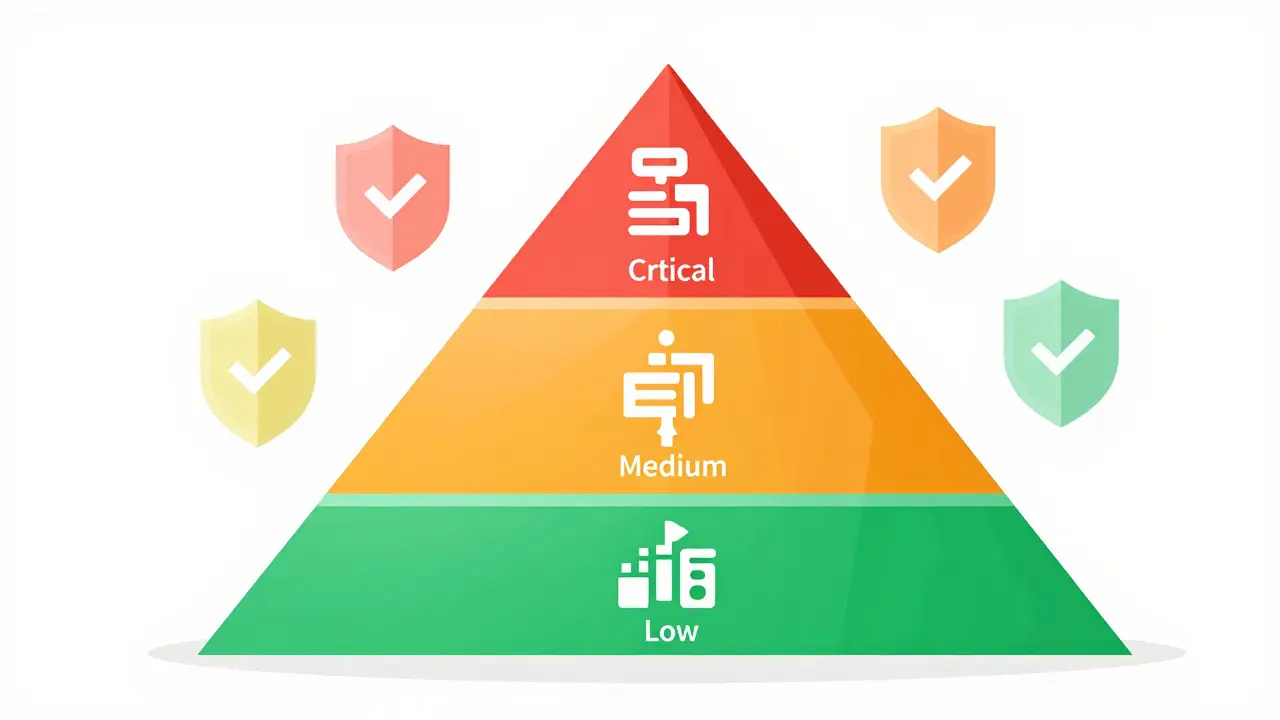
So, what number should you aim for? The short answer is: it depends on the risk profile of the code. A one-size-fits-all percentage is obsolete. Instead, experts recommend a tiered approach based on the criticality of the functionality.
| Risk Category | Example Components | Minimum Line Coverage | Required Path Coverage | Mutation Score Target |
|---|---|---|---|---|
| Critical | Financial calculations, authentication, regulatory compliance logic | 95%+ | 90%+ | 75%+ |
| Medium | Business logic workflows, data processing pipelines | 85% | 75% | 60%+ |
| Low | UI boilerplate, standard CRUD operations, logging utilities | 75% | 50% | 40%+ |
For critical paths-such as code handling financial transactions or patient data-you should demand near-perfect coverage. Dr. Elena Rodriguez from Carnegie Mellon’s Software Engineering Institute notes that 88-92% is the absolute minimum threshold for production-grade AI code, with 95%+ required for validation and error handling logic specifically. Why so high? Because AI-generated error handling fails in roughly 32% of cases according to Codacy’s 2024 study. If you don’t test those branches extensively, you will find out about the failure in production, not in development.
Conversely, for low-risk components like generating CSS classes or simple database queries, pushing for 100% coverage yields diminishing returns. Here, 75-80% line coverage combined with basic integration tests is sufficient. The key is to allocate your testing budget where the pain will be greatest.
Beyond Line Coverage: The Importance of Mutation Testing
If line coverage is necessary but insufficient, what fills the gap? Mutation testing. This technique involves intentionally introducing small changes (mutations) into your source code to see if your tests catch them. If your tests still pass after a mutation, they are weak.
For AI-generated code, mutation testing is non-negotiable. AI models often generate code that is logically equivalent but structurally different from human expectations. More importantly, they may include dead code or redundant checks that inflate coverage numbers without adding value. A high mutation score ensures that your tests are actually validating behavior, not just executing lines.
Graphite’s best practices guide emphasizes that coverage metrics must be supplemented with mutation scores of at least 75%. Here is why this matters: Imagine an AI generates a conditional statement `if (x > 0 && y < 10)`. A line coverage tool sees both parts executed. But if the AI mistakenly used `||` instead of `&&`, line coverage wouldn't necessarily flag it unless you had specific test cases for each combination. Mutation testing flips the operator and checks if the test suite breaks. If it doesn't, you know your tests are incomplete.
Implementing mutation testing adds time to your CI/CD pipeline, but for AI-heavy codebases, it is the only way to verify that your tests provide real protection against logical errors.
Identifying and Tagging AI-Generated Code
You cannot apply different coverage standards if you cannot distinguish AI-generated code from human-written code. As projects mature, the two blend together. A developer might accept an AI suggestion, tweak it slightly, and move on. Months later, that code is indistinguishable from the rest.
Tools like SonarQube’s AI detection features (released Q1 2025) can flag AI-generated segments with over 92% accuracy. GitHub Copilot also introduced an "AI attribution" feature in version 4.2, allowing teams to track which files or functions originated from the assistant. You should integrate these tools into your repository analysis workflow.
Once identified, tag these modules in your project documentation or metadata. This allows your CI/CD pipeline to apply stricter linting rules, require higher coverage thresholds, or trigger additional static analysis scans specifically for AI-originated files. Without this segregation, you risk applying lax standards to high-risk AI code or wasting resources over-testing trivial human-written utilities.

Practical Implementation Steps
Adopting a robust testing strategy for AI code requires a shift in process. Here is a practical roadmap for engineering teams:
- Audit Existing Code: Use static analysis tools to identify current AI-generated segments. Calculate their current coverage and mutation scores. Establish a baseline.
- Define Risk Tiers: Work with product owners to classify features into Critical, Medium, and Low risk. Map these tiers to the coverage targets outlined above.
- Enhance Test Generation: Don't just use AI to write code; use it to write tests. Tools like Functionize’s testGPT can generate edge-case scenarios that human testers might miss. However, always review AI-generated tests-they can suffer from the same biases as the code they test.
- Implement Mutation Testing: Integrate a mutation testing framework (like Stryker for JavaScript or Pitest for Java) into your nightly builds. Aim for a gradual increase in mutation score, starting with critical modules.
- Monitor Production Feedback: Track defect escape rates separately for AI-generated vs. human-written code. If AI code continues to cause production incidents despite high coverage, revisit your test design. Are you testing the right assertions?
Training is also crucial. Developers need to understand the limitations of LLMs. A 2024 Pluralsight survey found that developers trained in AI code testing caught 37% more defects than those who weren't. Include sessions on common AI pitfalls, such as silent failures in async operations or incorrect error propagation, in your onboarding curriculum.
The Future of AI Code Quality Metrics
We are moving away from rigid percentage targets toward dynamic, context-aware quality indices. By 2027, Forrester predicts that 70% of enterprises will use dynamic coverage targets that adjust based on real-time risk scoring. Microsoft’s upcoming Visual Studio 2025 release hints at this direction with a proposed "Comprehensive AI Code Quality Index" that combines coverage, mutation scores, and logical correctness validation into a single metric.
This evolution acknowledges that a single number cannot capture the complexity of AI-assisted development. The goal is not to chase 100% coverage for its own sake, but to ensure that the most risky parts of your system-the parts most likely to contain subtle AI-induced flaws-are rigorously validated through multiple lenses: line execution, path traversal, mutation resistance, and behavioral verification.
What is the ideal test coverage percentage for AI-generated code?
There is no single ideal percentage. For critical AI-generated code (e.g., financial logic, security), aim for 95%+ line coverage and 75%+ mutation score. For medium-risk code, 85% line coverage is reasonable. For low-risk boilerplate, 75% may suffice. The focus should be on risk-adjusted targets rather than a uniform global metric.
Why is mutation testing important for AI code?
Mutation testing verifies that your tests actually detect logical errors. AI code often passes line coverage checks but contains subtle logical flaws. Mutation testing introduces small bugs into the code to ensure your tests fail appropriately, proving they validate behavior rather than just execution.
How do I identify AI-generated code in my repository?
Use static analysis tools like SonarQube’s AI detection features or GitHub Copilot’s attribution tags. These tools analyze code patterns and style to flag segments likely generated by LLMs, allowing you to apply stricter testing standards to those specific files.
Does higher test coverage guarantee fewer bugs in AI code?
Not necessarily. High line coverage can create false confidence if the tests do not check for correct outcomes. AI code may execute all lines but still produce incorrect results due to logical hallucinations. Combining high coverage with mutation testing and explicit assertion checking is essential for reducing bug rates.
Should I use AI to generate tests for AI-generated code?
Yes, but with caution. AI tools can help generate comprehensive edge-case tests quickly. However, you must manually review these tests to ensure they are meaningful and not just superficially passing. AI-generated tests can inherit the same biases or blind spots as the code they are testing.
- Jul, 2 2026
- Collin Pace
- 0
- Permalink
- Tags:
- AI code coverage
- test coverage targets
- AI-generated code testing
- software quality assurance
- mutation testing
Written by Collin Pace
View all posts by: Collin Pace