Vibe Coding for Internal Tools: What Works, What Fails, and How to Automate Safely
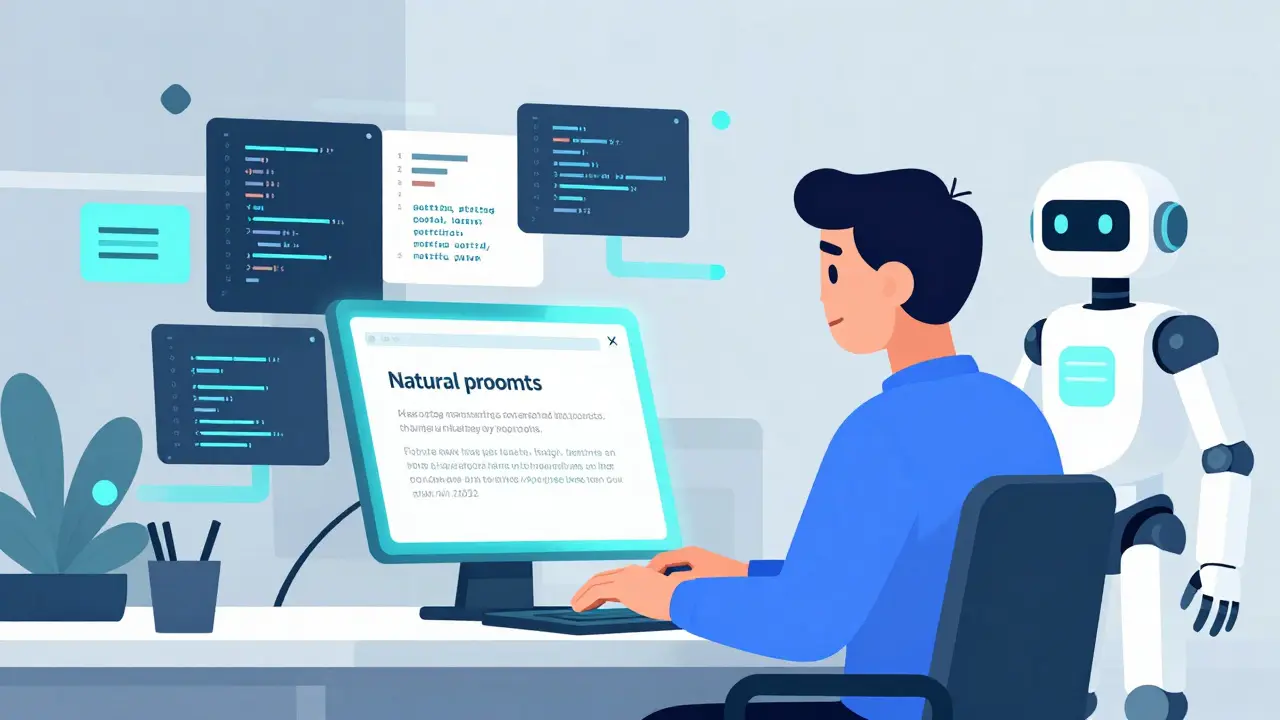
You have a workflow that eats up your team's time. Maybe it’s manual data entry, a clunky approval process, or a dashboard that nobody understands. In the past, you’d submit a ticket to IT and wait weeks-or months-for a fix. Today, you can describe exactly what you need in plain English, hit enter, and watch an AI generate the code for a working tool in minutes. This is vibe coding, a development approach where users describe functionality in natural language and AI generates executable code. It sits right between rigid no-code platforms and traditional software engineering.
But here is the catch: just because the code runs doesn’t mean it works safely or scales well. While vibe coding has exploded in popularity-with 67% of enterprises adopting it for automation by late 2024-it comes with real risks. Hardcoded credentials, hallucinated API endpoints, and security vulnerabilities are common pitfalls. This guide cuts through the hype to show you exactly which internal tools work best with vibe coding, which ones will get you fired, and how to build them securely.
The Core Promise: Speed Without Sacrificing Control
Traditional no-code tools like Airtable or Zapier are great for simple connections, but they often lock you into their specific logic and interface designs. On the other end, building custom apps from scratch requires expensive developers and long timelines. Vibe coding bridges this gap. Platforms like Replit (specifically its Ghostwriter feature) and Bolt.new allow you to generate full-stack applications-complete with databases, authentication, and user interfaces-using conversational prompts.
The value proposition is clear. A sales operations team recently built a custom CRM workflow tool using Replit’s vibe coding capabilities. They reduced development time from 27 person-days to just 8 hours. The key difference? Unlike pure no-code solutions, vibe coding produces editable code (usually Python, JavaScript, or TypeScript). This means if the AI gets something wrong, a developer can step in, tweak the logic, and keep moving. You get the speed of no-code with the flexibility of pro-code.
What Actually Works: The Sweet Spot for Automation
Not every problem needs a vibe-coded solution. To maximize success, focus on tools that involve straightforward data manipulation and user interfaces. Based on analysis of over 1,200 case studies and user feedback from communities like Reddit’s r/nocode, certain types of internal tools consistently succeed:
- CRUD Dashboards: Tools that Create, Read, Update, and Delete records in a database. For example, an HR onboarding tracker that pulls employee data and updates status fields.
- Simple Workflow Automations: Processes that move data from one place to another with basic conditional logic. Think: "If a lead scores above 50 in HubSpot, send a Slack notification to the sales team."
- Custom Reporting Interfaces: Dashboards that visualize existing data in ways standard BI tools don’t support. Business analysts can prompt the AI to create React charts connected directly to their SQL database.
- Notification Systems: Apps that monitor specific triggers and alert users via email or chat. These are low-risk because the consequences of a minor error are minimal.
In these scenarios, non-technical staff can achieve an 82% success rate. The tools are useful immediately, and any bugs are usually obvious and easy to fix. The learning curve is manageable; Replit’s 2024 survey found that business analysts needed only about 17 hours of training before they could build production-ready tools. Interestingly, Python-based tools required 23% less training time than JavaScript alternatives, likely due to Python’s more readable syntax which aligns better with natural language prompts.
What Fails: When to Avoid Vibe Coding
Vibe coding shines in prototyping and simple tasks, but it struggles significantly with complexity and compliance. If your project falls into any of the following categories, you should probably stick to traditional development or specialized enterprise frameworks like Retool.
| Scenario | Vibe Coding Suitability | Risk Factor |
|---|---|---|
| Financial Transaction Processing | Poor | High (89% of initial AI code had security flaws) |
| Multi-step Complex Logic | Moderate to Poor | Medium (Only 43% accuracy for complex workflows) |
| Legacy System Integration | Poor | High (AI often hallucinates API endpoints) |
| Regulatory Compliance (PCI/SOC 2) | Poor | Critical (Requires strict audit trails) |
| Simple Data Entry/Dashboards | Excellent | Low |
Security is the biggest hurdle. Legit Security found that 31% of vibe-coded internal tools contained hardcoded credentials in client-side code. Imagine generating a tool that connects to your customer database, and the AI accidentally embeds your API key directly into the frontend JavaScript. Anyone who inspects the page source can steal access to your data. Furthermore, Snyk’s 2024 analysis of 1,200 internal tools showed that 89% of AI-generated code for financial processing contained security vulnerabilities. The AI doesn’t understand PCI compliance; it just predicts the next likely line of code based on public datasets.
Complex business logic also trips up current models. MIT’s 2024 study revealed that vibe coding achieves only 43% accuracy when handling multi-step workflows. If your inventory system needs to reconcile stock across three warehouses while applying regional tax rules and supplier discounts, the AI will likely miss edge cases. Users report wasting 40+ hours trying to debug these logical gaps, which defeats the purpose of rapid development.
Platform Comparison: Choosing Your Engine
Several platforms dominate the vibe coding space, each with different strengths and pricing structures. Understanding these differences helps you pick the right tool for your team’s technical maturity.
| Platform | Best For | Price (as of Jan 2025) | Key Feature |
|---|---|---|---|
| GitHub Copilot | Developers integrating AI into existing IDEs | $10/user/month | Deep integration with VS Code and GitHub repos |
| Replit | Non-technical teams building full apps | $20/user/month (Business) | Built-in hosting, databases, and zero-config deployment |
| Bolt.new | Rapid web/mobile app generation | $49/month (Pro) | Direct integrations with HubSpot, Slack, and GitHub |
| Figma Make | Designers creating UI components | Varies with Figma plan | Generates clean React/HTML/CSS from design prompts |
Replit stands out for internal tools because it handles the infrastructure. You don’t need to configure servers or manage database connections manually. Bolt.new is excellent for sales ops teams needing quick connectors to CRMs like HubSpot. However, if you are already a developer, GitHub Copilot remains the most cost-effective way to accelerate your own coding without handing over control to an autonomous agent.
Building Securely: The Human-in-the-Loop Protocol
To make vibe coding viable for enterprise use, you must implement a strict review process. The EU’s 2024 AI Act now requires human oversight for AI-generated code in business-critical systems, reflecting a broader industry shift toward accountability. Here is a practical workflow to ensure safety:
- Draft with Templates: Don’t start from scratch. Use standardized prompt templates. Teams using structured templates reduced revision cycles by 63%. Define the data schema, the user roles, and the security constraints in your prompt before asking for code.
- Generate and Isolate: Let the AI build the tool in a sandboxed environment. Never run generated code directly against your production database.
- Mandatory Code Review: A developer must review the output. Focus specifically on credential handling, input validation, and API calls. This step reduces security issues by 78%, according to Knack’s 2024 study.
- Audit Trail Implementation: Use platforms that track prompt-to-code lineage. Replit’s new audit features help you trace back which prompt generated which block of code, essential for debugging and compliance.
One critical tip: never trust the AI to handle secrets. Always inject API keys and passwords via environment variables during deployment, not in the code itself. The AI will try to hardcode them for convenience; override this behavior explicitly in your prompts.
Long-Term Viability: The Maintenance Trap
There is a hidden cost to vibe coding: maintenance. MIT research indicates that 63% of vibe-coded internal tools require significant rework after 12 months as business requirements evolve. Compare this to 29% for traditionally developed tools. Why? Because AI-generated code often lacks the architectural foresight and modular structure that experienced engineers build in. It solves the immediate problem efficiently but may create spaghetti code that becomes fragile over time.
This suggests a hybrid strategy. Use vibe coding for rapid prototyping and disposable tools. Once a tool proves its value and becomes mission-critical, plan for a handoff to professional developers to refactor and secure the codebase. Forrester’s December 2024 report emphasizes that organizations treating vibe-coded tools as permanent solutions without planning for eventual refactoring face higher technical debt in the long run.
Next Steps for Your Team
If you are ready to try vibe coding, start small. Pick a low-risk, high-friction task like an internal expense report form or a simple inventory lookup tool. Assign a business analyst to draft the requirements and a junior developer to review the output. Measure the time saved versus the time spent reviewing. If the ratio is positive, scale up gradually. But remember: speed is not the same as quality. Always prioritize security and maintainability over raw velocity.
Is vibe coding safe for enterprise use?
It can be, but only with strict human oversight. Vibe coding poses significant security risks, including hardcoded credentials and vulnerable logic. You must implement mandatory code reviews, use sandboxed environments, and never deploy AI-generated code directly to production without verification. The EU AI Act now mandates human oversight for critical systems, reinforcing this need.
How does vibe coding compare to no-code platforms?
Vibe coding offers greater customization flexibility (68% more than no-code per Knack’s study) because it generates editable code rather than locking you into proprietary interfaces. However, it requires more technical knowledge to debug and maintain. No-code is better for simple, standardized tasks; vibe coding is better for unique workflows requiring custom logic.
Which platform is best for non-technical users?
Replit is currently the top choice for non-technical teams because it handles hosting, databases, and authentication automatically. Its Ghostwriter feature allows users to build full-stack apps using natural language prompts. Bolt.new is also strong for teams needing direct integrations with tools like HubSpot and Slack.
Can I use vibe coding for financial applications?
No. Vibe coding is highly unsuitable for financial transaction processing. Snyk found that 89% of AI-generated code for financial tools contained security vulnerabilities. These applications require strict PCI compliance and rigorous testing that current AI models cannot guarantee. Stick to traditional development for anything involving money.
What is the learning curve for vibe coding?
For business analysts, the average learning curve is about 17 hours of training to build production-ready tools. Python-based projects tend to be easier, requiring 23% less training time than JavaScript. Success rates are high (82%) for simple tools like dashboards and forms, but drop significantly (37%) for complex logic.
- Jun, 26 2026
- Collin Pace
- 7
- Permalink
Written by Collin Pace
View all posts by: Collin Pace